When Instagram DMs fail, email still works. See how an Instagram email finder by username helps you find public emails without guessing.
.png)
A message sits in your DM inbox marked seen, but nothing comes back. Not later. Not ever. For many professionals, that moment signals the limit of what Instagram DMs can realistically do.
This is where email changes the dynamic. An instagram email finder by username helps you identify public contact paths tied to a profile when direct messages stop moving conversations forward.
The shift is practical, not aggressive. It replaces waiting with intent and turns stalled outreach into a channel built for responses and follow ups.
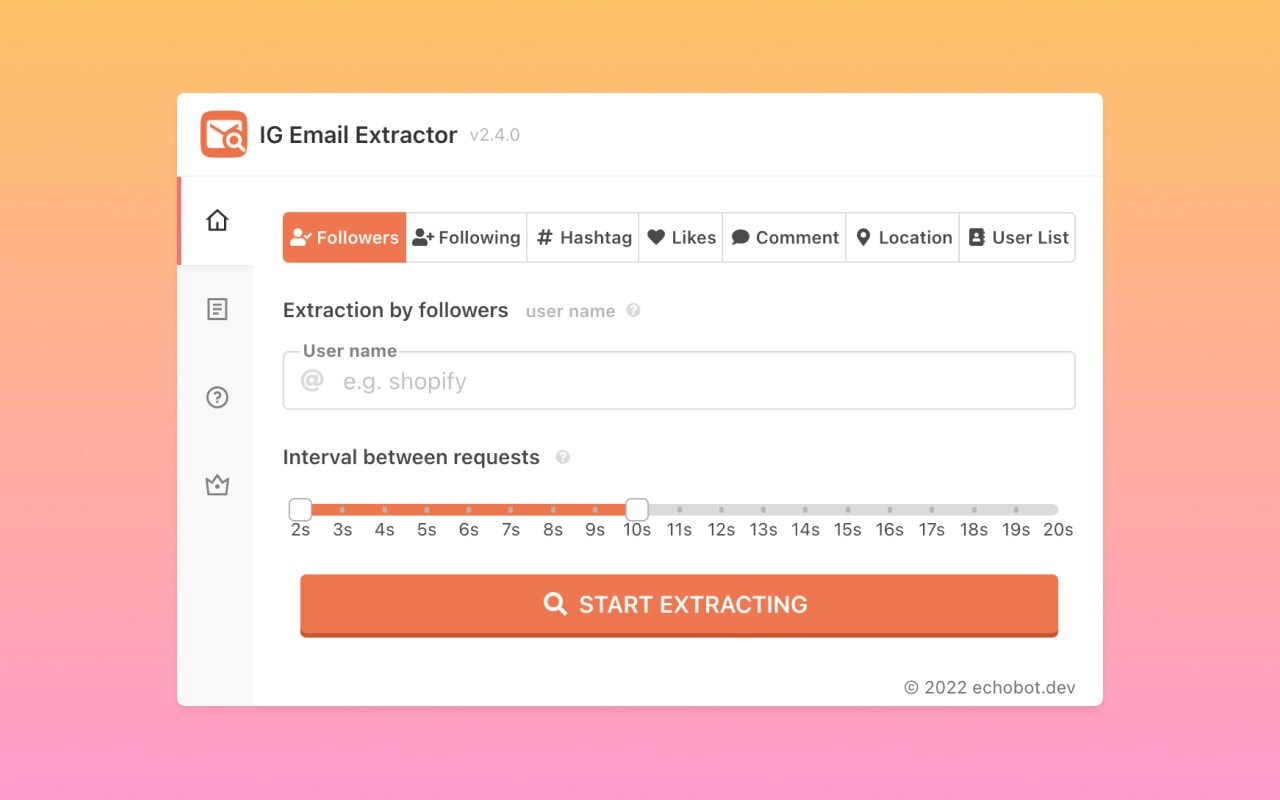
An IG email finder helps instagram users locate publicly available contact details linked to instagram profiles without touching private data. These tools scan bios, website links, and visible fields while respecting instagram’s terms and privacy guidelines across social media platforms.
Most instagram email finder tools rely on structured access, not api access or hidden databases.
What It Does
What It Does Not Do
Example
A brand account links its website in the bio. The tool checks that site, finds a partnerships address, and returns a public email used for business inquiries.
Best Fit
This approach works best when your ideal audience includes creators, brands, or businesses that share contact details for collaboration or outreach.
Knowing how these tools operate makes it easier to understand where Instagram emails are actually linked, and why many profiles still show no results.
Instagram emails are usually tied to contact details inside business accounts, bios, or website links, not hidden inside posts or follower lists. Many instagram profiles show zero results because profile metrics, engagement patterns, or account settings never expose contact fields.
This is common across creators and brands.
Where Instagram Emails Usually Show Up
Why Many Profiles Still Show 0 Results
Example
A travel creator has high engagement and strong profile metrics, but keeps the instagram bio clean and uses a link hub with no email. The result stays 0 even though the account is real and active.
Quick Check Before You Move On
Once you know where emails appear and why they disappear, the real risk becomes clearer, using unverified emails can quietly damage outreach results.
Unverified emails create silent damage across outreach efforts, from cold emails to follow ups with potential clients. High bounce rates, inaccurate results, and poor quality leads weaken sender trust and reduce actionable leads.
Many professionals underestimate how quickly this affects performance. Risk awareness determines whether outreach scales or quietly breaks.
What Changes When Emails Are Not Verified
Where The Risk Shows Up First
Example
A founder exports 300 emails from Instagram profiles and sends a pitch. Twenty percent bounce. The next campaign lands in spam more often, even for valid contacts.
What To Treat As High Risk
Once the risks are clear, the next step is building a simple process to find Instagram emails by username without guesswork.
Finding an instagram email by instagram username works best when the method follows a clear search process. The goal is to find users through visible access points, confirm whether the method works, and stop early when results are unavailable. Guessing wastes time and increases errors.
This is the fastest signal Instagram provides for business communication.
What to check
Example
A brand profile shows an Email button that opens a prefilled address for partnerships.
Many creators place emails directly in the instagram bio to avoid DMs.
What to look for
Example
A creator writes collabs at brandname dot com in the bio.
Website links often hold the real contact path.
What to open
Example
A link hub lists press and business inquiries separately.
These pages are designed for outreach.
Where to scan
Example
A startup lists partnerships at company.com on its About page.
Tools help when manual checks scale poorly.
How to use
Example
A tool finds an email by tracing the profile’s linked domain.
Extraction works only on visible pages.
Best practices
Example
A press page lists a media contact email publicly.
Verification protects deliverability.
What to verify
Example
An address passes domain checks and inbox validation.
Clean lists perform better.
What to remove
Example
Two identical emails from different pages are merged.
Relevance matters more than volume.
What to keep
Example
A brand uses partnerships at domain instead of a personal inbox.
Zero results are still a result.
What to do
Example
A creator offers only DMs, so email outreach is skipped.
With a consistent process in place, the next decision is knowing when this method works best and when another channel makes more sense.
An ig email finder works best when the target audience aligns with public visibility, such as brands, creators, or businesses that want to connect externally.
It saves time only when the right audience is selected. For private or closed profiles, other channels perform better.
An ig email finder is most effective when visibility and intent align. Once you can recognize these patterns quickly, choosing the right discovery tools becomes simpler and more deliberate.
“Stop hunting dead ends use a system that scales without sacrificing accuracy.”
When instagram itself provides limited data, broader email discovery tools help bridge gaps. These tools vary by free access, paid plan limits, credit card required trials, and supported email formats. The right tool complements instagram, not replaces it.
These tools work when instagram profiles link out to a brand site, media kit, or landing page.
What they’re good at
Tools to know
Example
An instagram bio links to a brand website. A website extractor finds a partnerships email listed on the Contact page.
These tools help when a username maps cleanly to a company or brand domain.
What they’re good at
Tools to know
Example
A startup’s instagram username matches its domain. A domain tool surfaces a public sales email used for inquiries.
These tools help when instagram profiles are tied to founders, creators, or managers with professional footprints.
What they’re good at
Tools to know
Example
A creator links LinkedIn in their bio. A LinkedIn tool surfaces a public consulting email.
This method works best when brands publish contact details across the web.
What it’s good at
Tools to know
Example
A brand’s email appears on a press feature indexed by Google but not on its website.
These tools help when emails are clearly published but spread across multiple pages, which is often necessary as part of an effective outreach strategy.
What they’re good at
Tools to know
Example
A creator’s press kit lists multiple contact emails across pages. A scraper collects them in one pass.
Using these tools effectively depends on knowing which gap you are trying to close. Once that’s clear, the next step is choosing the right email finder tool for instagram email discovery without overpaying or overreaching.
Choosing the right email finder tool depends on how it handles instagram data, accuracy, and zero result scenarios. A reliable email finder saves time only when it prioritizes verified outcomes over inflated claims. Tool selection is a filtering exercise, not a feature comparison.
Understanding the source explains what the tool can realistically return.
What to confirm
Example
A tool shows that an email was found on a linked Contact page, not inferred from a guess.
Not all tools are built for instagram first workflows.
What to look for
Example
Entering a brand username returns an email only after checking the linked website domain.
Verification separates usable data from noise.
What matters
Example
An email marked low risk includes verification details instead of a generic label, which is especially important when using bulk email marketing tools.
Testing early prevents wasted credits later.
How to test
Example
A tool correctly finds emails for three known brand profiles and returns 0 for private creators.
Zero results are part of email discovery.
What to evaluate
Example
The tool returns no email and explains that the profile has no public contact fields.
Claims reveal intent more than features.
Red flags
Example
A tool promises emails for any account type, which signals unreliable practices.
Once the right tool is selected, results still depend on what you do next. Verifying emails before outreach is what protects accuracy and long term performance.
Email verification protects deliverability by removing errors before outreach begins. Processes like duplicate filtering, format checks, and export hygiene using csv or excel format or google sheets prevent long term damage. Verification is not optional when scale increases.
1. Remove Duplicate And Role-Based Email Addresses
Duplicates inflate your list, role based inboxes often reduce relevance.
What to remove
Example
Two rows contain the same partnerships email, one from a website link and one from a tool export, keep one and log the source.
2. Check Email Syntax And Domain Validity
Syntax checks catch obvious errors before deeper verification.
What to confirm
3. Confirm The Domain Has Active Mail Servers
A real domain may still be unable to receive mail.
What to check
4. Run Inbox-Level Verification To Detect Invalid Emails
This is where most bad addresses get filtered out.
What it tells you
Example
A sales email looks correct, but inbox checks flag it as invalid, remove it before outreach.
5. Identify Catch-All Domains And Flag Them Separately
Catch all domains accept email for any address, so verification signals get weaker.
How to handle them
6. Filter Out Disposable Or Temporary Email Addresses
Temporary inboxes rarely belong to real business contacts.
What to filter
7. Retest Emails Collected From Older Search Results
Public pages change, emails get replaced or abandoned.
When to retest
Example
An email from older search results passes last year, fails today, retesting prevents silent bounces.
8. Keep Only Emails Marked As Verified Or Low Risk
This is the final list you trust for outreach.
What to keep
Once verification is done, the workflow becomes predictable, and you can decide what to do when an Instagram profile has no email at all without wasting cycles.
“Build email lists that actually perform, not just exist.”
When no email appears, the next step is not to scrape emails blindly or force contact. Alternatives include direct message outreach, clear business inquiries, or using location and sign based cues on linked pages. Smart decisions reduce wasted effort.
Knowing when to stop is as important as knowing where to look.
Start With The Most Direct Path
Example
A creator has no email, but replies to short DMs that reference a specific post and a clear collaboration idea.
Use Linked Pages Like A Contact Map
Example
A restaurant profile has no email, but the website’s location page lists a reservations and events contact.
Treat “No Email” As A Signal, Not A Problem
Avoid Shortcuts That Create Risk
Not every Instagram profile is meant to be contacted by email, and recognizing that early keeps outreach focused and respectful. Clear signals, not force, determine whether a conversation moves forward.
No. Legitimate email scrapers can only collect information that is publicly visible on web pages or profiles. Private Instagram data, DMs, and hidden contact fields are not accessible without violating platform rules.
Personal accounts are not designed for business inquiries. They often hide contact fields, avoid public emails, and rely on DMs, which limits any form of email discovery.
No. Instagram algorithms affect content reach and visibility, not whether email contact details are shown. Email availability depends on profile settings, not ranking systems.
You collect emails that are already published on those sites. Accuracy depends on how current the page is and whether the email is still monitored, which is why verification matters.
Not always. Some emails exist only for visibility or filtering and may not be checked regularly, especially on large creator or brand accounts.
When DMs stop moving conversations forward, the goal is not to push harder, it is to switch to a channel built for clear intent and follow ups. Email offers structure, context, and a better signal for professional conversations.
Used thoughtfully, an instagram email finder by username helps you identify when that path exists and when it does not, so outreach stays deliberate, respectful, and effective.
"Scale your outreach with verified emails instead of wasted clicks.”